Mini PC vs All-in-One Computer: Which to Buy? (November 2026)
Choose a mini PC if you want a separate monitor and flexible desk setup; choose an all-in-one if you want the screen and computer in one unit. The mini PC vs all in one choice depends on how much you value screen choice, fewer separate parts and room to upgrade.
On this page (9 sections)
- Mini PC vs all-in-one: what is the main difference?
- Which takes up less desk space?
- Which has the better screen setup?
- Which is easier to set up?
- Which offers more flexibility for upgrades?
- How do the Beelink and Lenovo compare for everyday tasks?
- What should you check before buying?
- Which should you buy?
- Sources and product details
Choose a mini PC if you want to pick your own monitor; choose an all-in-one if you want the computer and screen together. In a mini PC vs all in one comparison, the main trade-off is a flexible, separate setup versus a single unit with a built-in display.
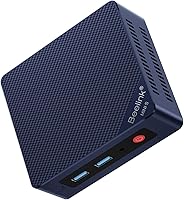
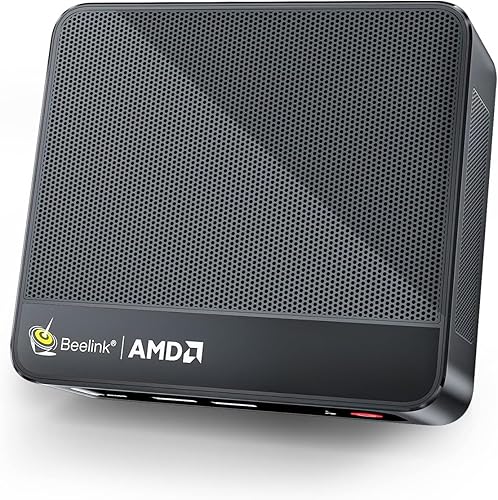
The Beelink SER5 mini PC has an AMD Ryzen 5 5500U, 16GB of memory and a 480GB SSD. It needs a separate monitor, while the Lenovo IdeaCentre All-in-One includes a 23.8-inch Full HD screen, camera, speakers and microphone.
Both can suit everyday home or office tasks. The best fit depends on how you want to arrange your desk and whether choosing your own screen matters.

Mini PC vs all-in-one: what is the main difference?
A mini PC is a compact computer that connects to a separate screen; an all-in-one puts the computer and screen in one unit. That changes what you need to buy, move and arrange.
With the Beelink SER5, you choose the monitor separately. The computer connects to it, and you can select a screen size and position that suit your desk.
The Lenovo IdeaCentre combines the PC with a 23.8-inch Full HD IPS display. Its camera, speakers, microphone, keyboard and mouse also make it a more complete setup in the box.
If you’re still weighing whether a small computer can handle your needs, our guide to whether a mini PC is as good as a desktop explains what to consider.
Which takes up less desk space?
The all-in-one uses fewer separate devices, while a mini PC lets you place the computer away from the screen. Measure the space for the whole setup, not just the computer.
The Lenovo’s screen and computer share one unit, so there’s no separate PC box to place on the desk. You still need room for its stand, keyboard and mouse.
The Beelink is a small box, but the monitor sits separately. You can place the mini PC beside or behind a display if the cables and airflow allow, leaving the screen position independent of the computer.
Mini PC desk setup
A mini PC suits a desk where you already have a display or want to choose one. It can also make sense if you plan to mount the computer out of the way, provided the mounting method fits the model.
The Beelink SER5 supports connecting 2 screens. For a two-display workspace, see our guide to mini PC dual monitor support for port and cable considerations.
Remember to count the extra cables and accessories. A separate monitor, keyboard, mouse and speakers can add clutter if you don’t already have them.
All-in-one desk setup
An all-in-one can simplify a desk because the computer is built into the display. The Lenovo also includes a wired keyboard and mouse, plus a camera, speakers and microphone for calls.
It still needs a power connection and room for its stand. The screen tilts, but it isn’t a touch display, so check that its size and position suit your work.
Which has the better screen setup?
Choose the Lenovo for a screen included in the same unit; choose the Beelink if you want to select a separate monitor. Screen size, resolution and placement all shape daily comfort.
The Lenovo has a 23.8-inch Full HD IPS screen with an anti-glare finish. Its built-in screen keeps the computer and display together, and the HDMI-out port can connect one additional display.
The Beelink SER5 doesn’t include a monitor, so you can choose one for your space and preferences. The Philips 241V8LB 24-inch monitor is a separate monitor option with Full HD resolution and HDMI and VGA connections.
Don’t assume any screen will fit your setup just because it has HDMI. Check the monitor’s inputs and the computer’s available ports, then choose the cable needed to connect them.
Which is easier to set up?
The all-in-one takes fewer separate choices; a mini PC needs a compatible display and accessories. Setup is simplest when you already own the parts a mini PC requires.
The Lenovo arrives as a combined computer and screen, with a wired keyboard and mouse. Its built-in camera, speakers and microphone cover common video-call needs without extra desktop devices.
The Beelink SER5 includes an HDMI cable, power adapter and user manual. You’ll still need a monitor, keyboard and mouse, and may want separate speakers or a webcam.
A mini PC can be a straightforward choice if those accessories are already on your desk. If you’re starting from scratch, compare the complete setup rather than the computer alone.
Which offers more flexibility for upgrades?
A mini PC gives you more freedom to change the display separately; memory upgrade limits depend on the computer. Check the exact model before planning any hardware changes.
The Beelink SER5 memory can be upgraded to 64GB, according to its listed configuration. The Lenovo supports up to 32GB of memory, and its SSD is a separate component from its built-in screen.
The Lenovo’s integrated design means you can’t swap its display for a different monitor while keeping the same all-in-one unit. A separate monitor with a mini PC can be replaced independently if your needs change.
For more on what a mini computer is and how it differs from other desktop shapes, read what a mini computer is.
How do the Beelink and Lenovo compare for everyday tasks?
The Beelink has more listed memory and a Ryzen 5 processor; the Lenovo offers an included screen and more built-in call hardware. Pick based on the work you do and what you already own.
The Beelink SER5 pairs its Ryzen 5 5500U processor with 16GB of DDR4 memory and a 480GB NVMe SSD. Its integrated Radeon Graphics and support for 2 displays suit a setup where screen choice and multiple windows matter.
The Lenovo uses an Intel N100 processor with 8GB of memory and a 512GB PCIe SSD. It includes integrated Intel UHD Graphics, a Full HD display, an HD camera, dual speakers and a mono microphone.
Those differences don’t make one computer best for every task. If you mainly browse, write documents and join calls, the included Lenovo screen and camera may be more useful than extra memory.
If you want a separate monitor or room to increase memory, the Beelink has a more flexible starting point.
What should you check before buying?
Check the included parts, screen connections and upgrade needs before choosing. A short checklist can prevent buying a computer that leaves gaps in your setup.
- List what you already own. A usable monitor, keyboard, mouse, speakers and webcam make a mini PC easier to set up.
- Measure the desk. Include the screen stand, keyboard area and room to reach ports.
- Check the display connection. Match the computer’s video output to the monitor’s inputs and cable.
- Think about screen changes. A separate monitor is easier to replace independently than an all-in-one display.
- Compare memory needs. The Beelink can be upgraded to 64GB; the Lenovo supports up to 32GB.
- Count the devices. The Lenovo combines the screen and PC, while the Beelink setup uses separate components.
If a small PC seems right but you’re unsure whether it suits your routine, our guide on who should buy a mini PC covers common fits and drawbacks.
Which should you buy?
Choose the Beelink SER5 if you want a separate monitor, 16GB of memory and the option to expand it; choose the Lenovo if you want a built-in screen, camera and speakers. The right choice is the one that fits your desk and accessories.
The Beelink is a practical match for someone who already owns a display or wants to select one. Its support for 2 screens may also suit a workspace that uses more than one display.
The Lenovo is a more self-contained setup for everyday work, study and video calls. Its 23.8-inch Full HD screen, camera, speakers, microphone, keyboard and mouse reduce the number of separate parts to arrange.
Sources and product details
- Beelink SER5 mini PC
- Lenovo IdeaCentre All-in-One
- Philips 241V8LB monitor
Frequently asked questions
Is a mini PC better than an all-in-one?
A mini PC is better if you want to choose or replace the monitor separately, while an all-in-one is better if you want a built-in screen and fewer separate devices. Compare the full desk setup, including keyboard, mouse, webcam and speakers, because a mini PC may need more add-ons.
Does a mini PC come with a monitor?
A mini PC is a small computer that connects to a separate display, so check what comes in the box and plan for a compatible monitor. The Beelink SER5 configuration here includes an HDMI cable, but it does not include a monitor.
Can an all-in-one connect to a second monitor?
The Lenovo IdeaCentre All-in-One can connect up to 2 displays total, including its built-in screen, through HDMI-out. That means you can add one external display, subject to the connection and setup requirements for the screen you choose.
Which is easier to upgrade, a mini PC or an all-in-one?
A mini PC often gives you more freedom to replace the monitor separately, but upgrade options depend on the exact computer. The Beelink SER5 memory can be upgraded to 64GB, while the Lenovo configuration supports up to 32GB; check each model's instructions before changing parts.
Can a mini PC replace an all-in-one for home office work?
Yes, if you add the display and accessories you need. The Beelink SER5 supports 2 screens and has a Ryzen 5 5500U, while the Lenovo combines its screen, camera, speakers and microphone in one unit for a simpler desk setup.