What Is a Mini Computer? A Plain Guide
A mini computer is a compact desktop PC that runs a full operating system and connects to a separate screen, keyboard, and mouse. It can handle everyday home tasks, though its size and parts vary by model.
On this page (7 sections)
A mini computer is a compact desktop PC that runs a full operating system and connects to a separate screen, keyboard, and mouse. It can handle everyday home tasks, though its size and parts vary by model.
The small case saves desk space, but it doesn't tell you how fast the computer will be. Check the processor, memory, storage, graphics, operating system, and ports for the work you plan to do.
What is a mini computer?
A mini computer is a small desktop computer with its own processor, memory, storage, and operating system. It works like a conventional desktop, but the computer itself takes up less room than a tower.
A mini computer is also called a mini PC or mini desktop computer. You connect it to a monitor or TV, then add a keyboard, mouse, and any other devices you need.
The Beelink Mini S13 has a compact 115 x 102 x 41 mm case and an Intel N150 processor. {{product B09LC9JWVQ | A compact desktop option for browsing, office tasks, video calls, and streaming.}}
A small computer may sit beside a screen or attach behind a monitor if the model and mount support that setup. The Beelink includes a VESA mount and screws, so check your monitor's mounting points and available space before choosing that arrangement.
What can you do with a mini computer at home?
A mini computer can handle common home tasks such as web browsing, documents, video calls, and streaming, depending on its hardware. Some models also suit multiple displays, office applications, and more demanding creative or computing workloads.
For a shared family computer, start with the apps and screens you expect to use. A model described for office work and streaming may suit those tasks, while editing software or games can call for stronger processor and graphics capabilities.
The Bosgame E5 Plus has a Ryzen 5400U processor and supports up to 64 GB of memory. It has HDMI, DisplayPort, and USB-C video outputs for up to 3 displays. {{product B0GDZPLPP8 | A home or office option if you want memory expansion and several display connections.}}
For a quick comparison of everyday needs, see our guide to the best mini computers for home use. It can help you match a model to your main tasks.
What does a mini computer need to work?
A mini computer needs power, a display, and input devices to work as a desktop setup. It may include wireless networking and Bluetooth, but check its connections and what's in the box before you buy.
Most setups need:
- A power adapter and outlet.
- A monitor or TV with a compatible video input.
- A keyboard and mouse, connected by cable or Bluetooth.
- An internet connection, through Wi-Fi or Ethernet, if you need online access.
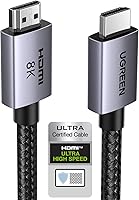
The Beelink Mini S13 includes an HDMI cable, power adapter, and VESA mount. The Bosgame E5 Plus and GMKtec M5 Ultra also include an HDMI cable, power supply, and VESA mount with screws.
To use a TV as your screen, check that it has a compatible HDMI input and follow our step-by-step guide to connecting a mini PC to a TV. For two or more displays, compare the computer's video outputs with the screens you want to connect.
How is a mini computer different from a desktop tower?
A mini computer is smaller than a typical desktop tower, while a tower usually offers more internal space for parts and upgrades. Which one fits you depends on your desk, your workload, and whether you plan to change components later.
A mini PC can suit a tidy desk, a TV setup, or a home office where case size matters. Some models offer memory or storage upgrades, but the available slots and supported limits vary.
A tower may be a better fit if you need room for a dedicated graphics card or several internal drives. Read our comparison of mini PCs and tower PCs for home desks for help weighing size against upgrade needs.
Does a mini computer have a graphics card?
Mini computers have graphics hardware, but many use integrated graphics rather than a separate graphics card. Integrated graphics can handle common display tasks, while games and creative applications may call for more graphics capability.
The GMKtec M5 Ultra has integrated AMD Radeon graphics. Its manufacturer describes it for office work, gaming, and video or photo editing, but those uses don't guarantee the same results across every program.
Check the software maker's requirements before choosing a PC for gaming, editing, or design work. Our guide to graphics in mini PCs explains what integrated graphics means.
What should you check before choosing one?
Choose a mini computer by matching its hardware and connections to your actual tasks. The word “mini” only describes its size, so compare the parts and ports before deciding.
- Processor: Check the processor model and whether it suits your apps and multitasking.
- Memory: Make sure it has enough for your usual workload, and see whether it can be upgraded.
- Storage: Consider how much space your files and programs need, plus whether expansion is available.
- Graphics: Check whether the computer's graphics suit your display, games, or editing software.
- Ports: Match HDMI, DisplayPort, USB-C, USB, and Ethernet ports to your screens and accessories.
- Operating system: Confirm that it supports the programs you use.
- Size and mounting: Measure the space available beside or behind your monitor.
If you're still weighing the format, read whether a mini PC is as good as a desktop. It compares the kinds of home tasks where a compact computer can make sense and where a larger desktop may suit you better.
Is a mini computer right for your home?
A mini computer suits you if you want a small desktop for common tasks and have a separate display and input devices. It may be a poor fit if you need specific high-end parts or room for frequent internal upgrades.
Start with your main use: everyday browsing, a home office, a TV setup, or more demanding software. Then compare processor, memory, storage, graphics, ports, and upgrade options among models that fit the space.
For more help with the decision, see who should buy a mini PC. If compact size is your priority, compare models by the work you'll ask them to do, not by the word “mini” alone.
Frequently asked questions
What is a mini computer used for?
A mini computer is used for everyday desktop tasks such as web browsing, office work, video calls, streaming, and home entertainment. The tasks it can handle depend on its processor, memory, storage, graphics, and connections.
Check those details against the work you plan to do.
Is a mini computer the same as a mini PC?
Yes. Mini computer and mini PC are common names for a small desktop computer.
The name describes the compact form, not a specific speed or feature set.
You still need to check the individual model's operating system, ports, memory, storage, and graphics.
Does a mini computer come with a monitor?
Usually, a mini computer is the small desktop unit, while the monitor is separate. Check what comes in the box and whether you have a compatible display cable.
You'll also need a keyboard and mouse unless the computer package includes them or you already own them.
Can a mini computer replace a desktop tower?
A mini computer can replace a tower for many home tasks, including browsing, documents, video calls, and streaming. A tower may suit you better if you need more room for upgrades, dedicated graphics, or demanding workloads.
Compare the actual components and ports before deciding.