Do Mini PCs Have Speakers? How to Add Sound
Most mini PCs don't have built-in speakers. Sound usually comes from a connected monitor, headphones, or external speakers, so check the computer and display before choosing an audio setup.
On this page (8 sections)
- Do mini PCs have speakers inside the computer?
- Can your monitor provide sound for a mini PC?
- What should you check before adding desktop speakers?
- Which speakers suit a mini PC desk?
- Are USB or Bluetooth speakers easier to set up?
- Why is there no sound from your mini PC?
- How much desk space do external speakers need?
- Which sound setup should you choose for a mini PC?
Most mini PCs don't have built-in speakers. They can send sound to a monitor with speakers, headphones, or external desktop speakers, depending on the ports and features available.
Before you buy speakers, check whether your monitor already handles audio and whether you need sound for video calls, music, or everyday alerts. A mini PC's small size doesn't tell you what audio hardware it has, so confirm the exact model's ports and specifications.
Do mini PCs have speakers inside the computer?
Most mini PCs rely on an external audio device instead of built-in speakers. The computer may still output sound through a connected monitor, headphones, or speakers.
Don't assume a small computer works like a laptop. A mini PC is often paired with a separate monitor and audio setup, and those pieces determine what you hear.
Check the computer's audio outputs and wireless features. A headphone or line output can connect to wired speakers, while Bluetooth can connect to compatible wireless speakers.
For more context on what components a mini computer includes, read what a mini computer is. If you're comparing computer sizes and performance, see whether a mini PC is as good as a desktop.
Can your monitor provide sound for a mini PC?
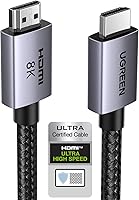
A monitor can play mini PC audio if it has built-in speakers and receives audio from the computer. HDMI commonly carries both video and audio, but the monitor still needs speaker hardware.
Check the monitor's manual or specifications for speakers, audio output, and volume controls. Some displays have a headphone jack for connecting external speakers even if they don't have built-in sound.
If audio doesn't play, open your computer's sound settings and select the monitor as the output device. Also check the monitor's volume and mute controls.
When connecting a mini PC to a television, its built-in speakers may be enough for casual viewing. Our guide to connecting a mini PC to a TV explains the setup.
What should you check before adding desktop speakers?
Match the speakers' connection to an available audio output, and check whether they need their own power. These details help you choose speakers that fit both the computer and the desk.
Look for one or more of these options:
- 3.5 mm audio: A common wired connection for speakers and headphones.
- USB: Some desktop speakers use USB for audio, power, or both.
- Bluetooth: Useful if the computer supports Bluetooth and you want wireless audio.
- RCA inputs: Found on some speakers, often alongside other inputs.
Powered speakers need a power source, so leave space for the speaker cable and power lead. If you plan to connect both a mini PC and another device, look for speakers that support multiple inputs.
Our guide to mini PC dual monitor support covers display connections, which can also affect where you route desk cables.
Which speakers suit a mini PC desk?
Choose speakers based on the connections you need, the space available, and whether you prefer wired or wireless audio. These four options cover compact desktop speakers, Bluetooth, and larger bookshelf styles.
The Edifier R1280T has two AUX inputs, a remote, and side controls for volume, bass, and treble. Its wood-effect finish suits a desk where bookshelf-style speakers fit.
The Edifier R980T is a powered bookshelf pair with RCA and 3.5 mm cables included, plus two AUX inputs. Consider it if you want a wired setup with included connection cables.
The Creative Pebble V3 connects over USB-C, Bluetooth 5.0, or 3.5 mm audio. Its compact desktop design can suit a smaller desk, and its Clear Dialog processing is designed to make spoken dialogue clearer.
The Logitech Z207 supports Bluetooth and a 3.5 mm cable, with on-speaker controls and a headphone jack. Its Easy-Switch feature lets you switch between audio devices by pausing one and playing the other.
Are USB or Bluetooth speakers easier to set up?
USB speakers can keep connections simple when your mini PC has a compatible USB port. Some USB models use one cable for audio and power, but check how the particular speakers work.
Bluetooth speakers reduce the need for an audio cable across the desk. Pairing and audio selection happen through the computer's Bluetooth and sound settings, and you'll need to recharge or power the speakers as their design requires.
A 3.5 mm cable is a straightforward choice when both devices have the matching port. It avoids wireless pairing, though it adds a cable to your desk.
For a fixed setup, choose the connection you'll use every day. For a shared desk, extra inputs or Bluetooth may help you connect a phone or tablet as well as the mini PC.
Why is there no sound from your mini PC?
First check the selected audio output, volume, and cable connection. The computer may be sending sound to a different device than the one you're listening to.
Try these steps:
- Open the computer's sound settings and select the monitor, speakers, or headphones you want to use.
- Check volume and mute controls on both the computer and the audio device.
- Make sure the cable is fully connected to the correct port.
- For Bluetooth speakers, confirm they are paired and selected as the output.
- Restart the audio app and check whether sound works in another app.
If the monitor is selected but has no speakers, change the output to your external speakers or headphones. If a cable connection still fails, check the computer and speaker manuals to confirm that the ports support the same kind of audio.
How much desk space do external speakers need?
Compact desktop speakers suit tighter desks, while bookshelf speakers need more room beside the monitor. Measure the space available and account for cables before choosing a pair.
The Creative Pebble V3 is described as compact and has a cable connecting its left and right speakers. The Edifier R1280T and R980T are bookshelf-style pairs, so plan space for both speakers and their connections.
Keep speakers where their controls remain easy to reach. If you use more than one screen, check that the speakers won't block the displays or crowd the keyboard area.
Which sound setup should you choose for a mini PC?
For a simple mini PC desk, use monitor speakers if they meet your needs, or add external speakers with a connection your computer supports. Choose USB for a compatible cable-based setup, Bluetooth to reduce audio wiring, or 3.5 mm and RCA for wired connections.
Pick the Creative Pebble V3 for compact desktop speakers with several connection options. Consider the Logitech Z207 if switching between devices matters, or an Edifier bookshelf pair if you have room for larger speakers and prefer their available wired inputs.
If your mini PC's display setup is still taking shape, see mini PC dual monitor support. For general computer choices, compare mini PCs and tower PCs.
Frequently asked questions
Do mini PCs have built-in speakers?
Most mini PCs don't have built-in speakers, though the exact setup depends on the model. Many send audio through HDMI or another display connection, while some have a headphone or audio output for speakers.
Check the computer's specifications and your monitor's audio features before buying anything.
Can a mini PC play sound through a monitor?
Yes, if the monitor has speakers and receives audio over the connected video cable, such as HDMI. Select the monitor as the audio output on your computer and raise its volume.
If the monitor has no speakers, connect headphones or desktop speakers to the computer or display.
How do I connect speakers to a mini PC?
Use a connection supported by both the speakers and mini PC, such as a 3.5 mm audio output, USB, or Bluetooth. For powered speakers, connect their audio cable and power source as required, then choose the speakers as the computer's sound output.
Are Bluetooth speakers good for a mini PC?
Bluetooth speakers can suit a mini PC if you want fewer audio cables and the computer supports Bluetooth. A wired connection can be simpler for a fixed desk setup.
Check which connections the computer and speakers share, and consider whether you need to switch between devices.